TRUST A PASSWORD TOOL YOU DO NOT HAVE TO TRUST WITH YOUR DATA
E-PasswordCard gives you a practical way to create strong passwords and keep control.
Has a website you are registered with ever been hacked?
With E-PasswordCard, you can create and manage secure passwords.
How the idea works
Create a password card and choose a secret pattern
You can read your passwords using your secret pattern.
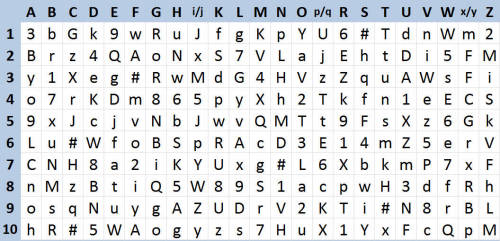
E-PasswordCard generates your personal password card
The combination of letters, numbers, and symbols on your card is your personal starting point for secure passwords.
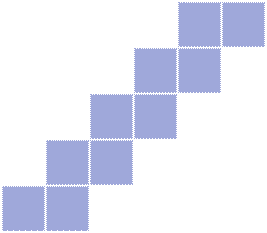
You choose a secret pattern that you can use for all your passwords
The same pattern works for all logins, but each password starts at a different position on your card.
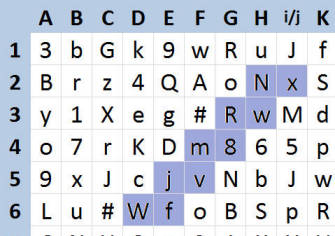
You read your password from the card using your pattern
Even if someone sees your password card, they cannot read your passwords without your secret pattern.
Example
E-PasswordCard is very easy to use
When you first start E-PasswordCard, your personal password card is created. Assume you choose a staircase shape with 10 fields as your personal pattern. Now you need a password to log in to doodle.com.

Stay independent